PositiveActively reviewing applicants
Customer Support Specialist
Remote · Posted 2 days ago
 JobLog Filter
Add to Chrome
JobLog Filter
Add to Chrome
JobLog Filter adds compact, adjustable signals to job listings while you browse. It never hides jobs, never reorders results, and never invents a score when the page does not provide enough information.
Remote · Posted 2 days ago
Hybrid · Easy Apply
On-site · Recently listed
THIS PRODUCTJobLog FilterCompare listings before applying SEPARATE EXTENSIONJobLogAutofill and track applications
JobLog Filter reads supported job-card details, applies the thresholds you select, and adds a small explanation next to each reliable signal.
Browse LinkedIn, Indeed, or Glassdoor as usual. Infinite scroll and newly loaded cards are checked automatically.
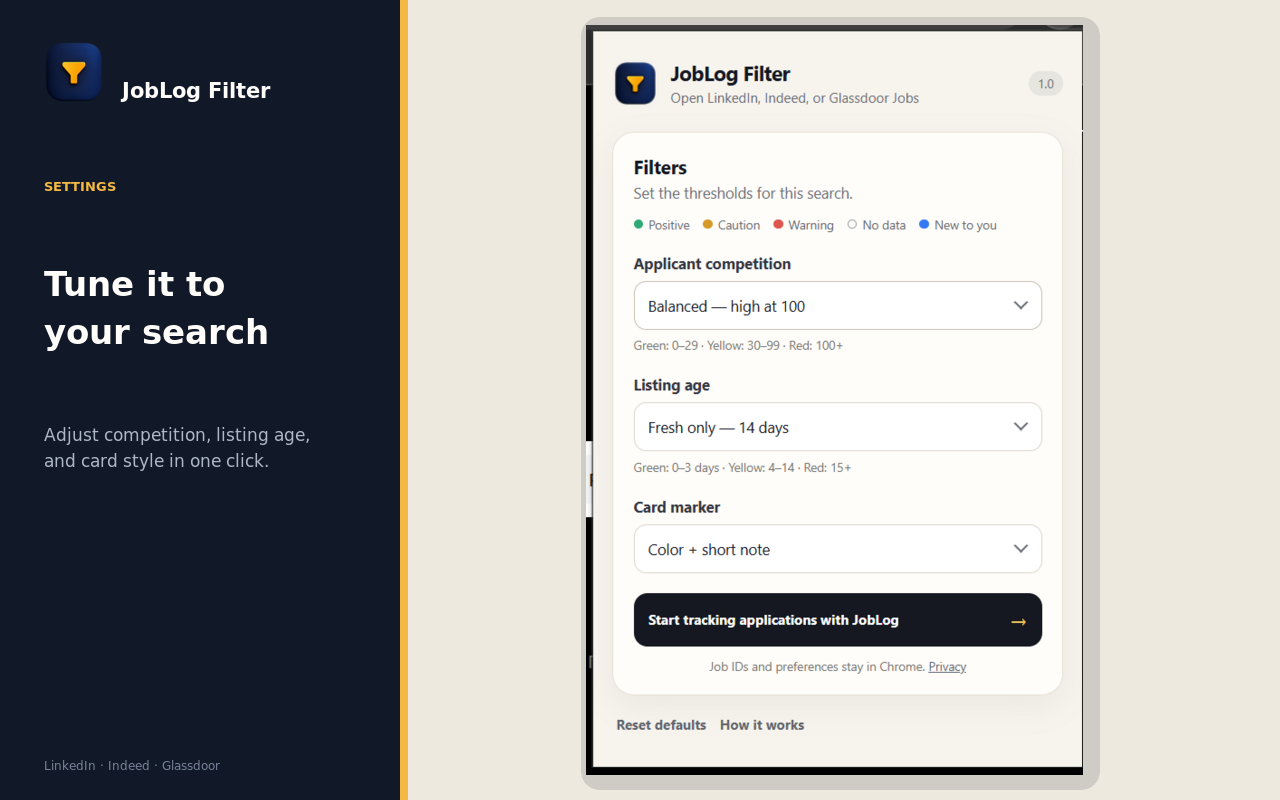
Adjust applicant competition, listing age, and the marker style from the extension popup.
Use the color and short note as a quick reading aid, then open the listings that fit your search.
Compact markers sit alongside the listing instead of covering the vacancy. Positive, caution, warning, and new-to-you signals remain easy to scan as more results load.
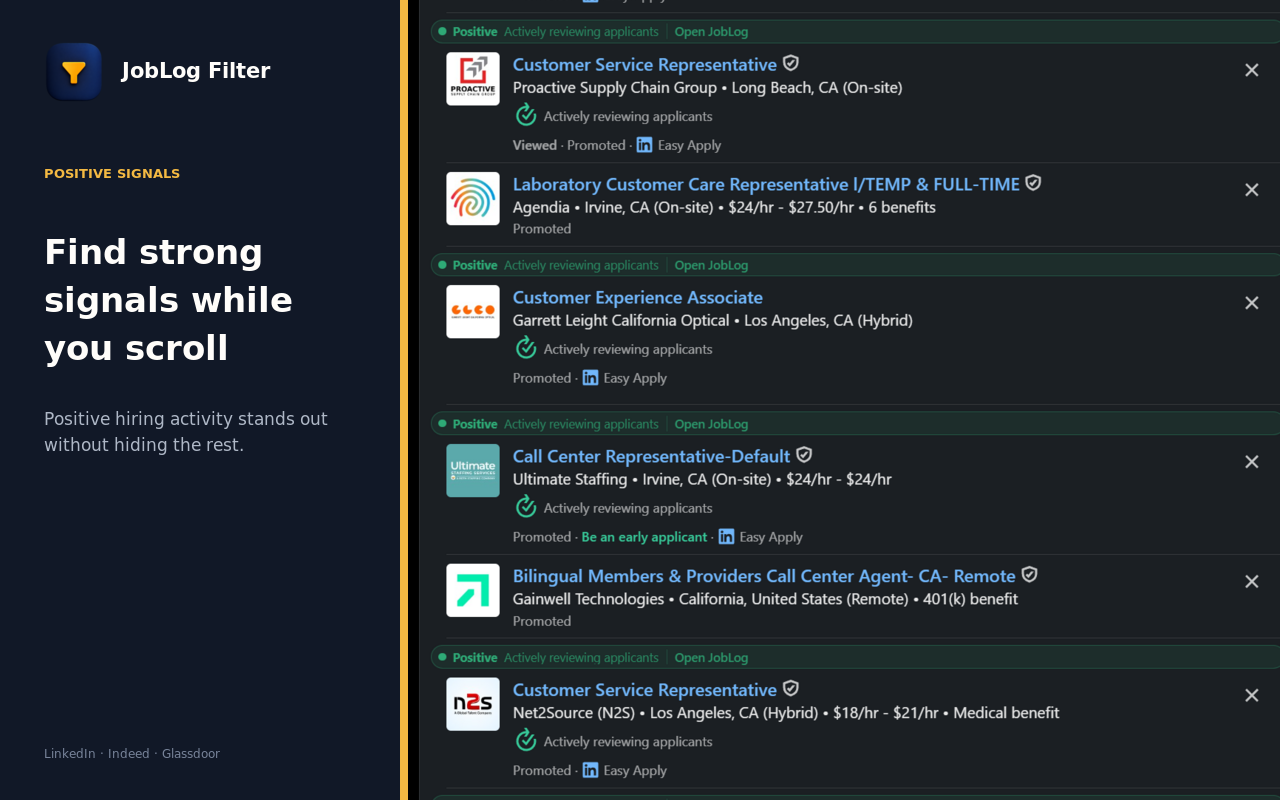
Thirty applicants may be ordinary for a call-center role and unusually competitive for a niche position. Presets give you a quick starting point, while the final choice stays yours.
Switch between color with a short explanation and a quieter color-only marker whenever you want.
The visible listing data fits the thresholds you selected.
A listing may be older or more competitive than you prefer.
A visible value crosses your selected high-risk threshold.
The job identifier was not seen in your recent local history.
The page does not expose enough reliable information, so the listing remains neutral.
JobLog Filter processes visible job-card details on the page. Settings use Chrome Sync, while recent job identifiers stay in local browser storage. Job-card data, search queries, and browsing history are not sent to JobLog or sold to third parties.
Free to use. No account required. Final decisions always stay with you.